If you are learning to build mobile apps, you have probably asked this already: should I learn React Native or Flutter? You watch a few YouTube comparisons, read a Reddit thread or two, and end up more confused than when you started. Both sides sound convincing, and nobody wants to spend six months on the wrong thing.
I have been building mobile apps with React Native since 2017, including the apps we make at Islamic Desk and apps for clients, and I have been teaching the MERN stack at Saylani (SMIT) since 2020. So I am not neutral here, and I will say that upfront. But my answer is not "React Native is better than Flutter for everyone". It depends on where you are starting from.
In this post I will give you my short answer, explain the real differences between the two, show you the same small screen written in both, and tell you when I think Flutter is the better pick.
The short answer: if you know JavaScript, go with React Native
Here is my view in one line. If you are learning JavaScript, or you already have experience with it, go with React Native.
JavaScript is easy to adjust to and easy to learn, and it has a very large community. When you get stuck, someone has usually hit the same problem before you and written about it. That matters a lot when you are a beginner and you do not have a senior developer sitting next to you.
My MERN students at SMIT are already learning JavaScript for the web. For them, React Native is not a new world. It is the same language and the same React ideas, pointed at a phone instead of a browser.
What React Native and Flutter actually are
Both tools let you build an Android and an iOS app from one codebase. The difference is in the language and in how the screen is drawn.
React Native
React Native lets developers who know React build native apps. You write components in JavaScript or TypeScript, and they are backed by real native views on Android and iOS. The official React Native docs now recommend starting new apps with a framework, and they name Expo, which gives you file-based routing, a library of native modules and tooling that saves you from managing native files by hand.
Since version 0.76 (released in October 2024), the New Architecture is enabled by default, and the React Native team declared it ready for production. If you read an old blog post complaining about "the bridge", keep in mind that a lot has changed since then.
Flutter
Flutter is Google's open source framework. You write your app in Dart, and Flutter does not use the platform's own widgets. It draws everything itself with its own rendering engine, called Impeller, and compiles your Dart code ahead of time into native machine code. That gives you very consistent UI across platforms, which is why Flutter is popular for apps with heavily custom, branded designs.
React Native vs Flutter side by side
Here is how the two compare on the points that matter most to a learner.
| React Native | Flutter | |
|---|---|---|
| Language | JavaScript or TypeScript, with React | Dart |
| Made by | Meta, with a large open source community | Google, with open source contributors |
| How the UI is drawn | Your React components map to real native views on Android and iOS | Flutter draws every widget itself with its own rendering engine (Impeller) |
| Recommended way to start | A framework like Expo (npx create-expo-app@latest) | The Flutter SDK and flutter create |
| If you already know JavaScript | You reuse what you know from day one | You learn a new language first |
| Reuse on web and backend | Same language as React, Next.js and Node.js (the MERN stack) | Dart is mainly used with Flutter |
Both are free, both are open source, and both are used in production by real companies. Neither one is going to stop you from getting a job or publishing an app. The question is which one gets you productive faster.
The same screen in both
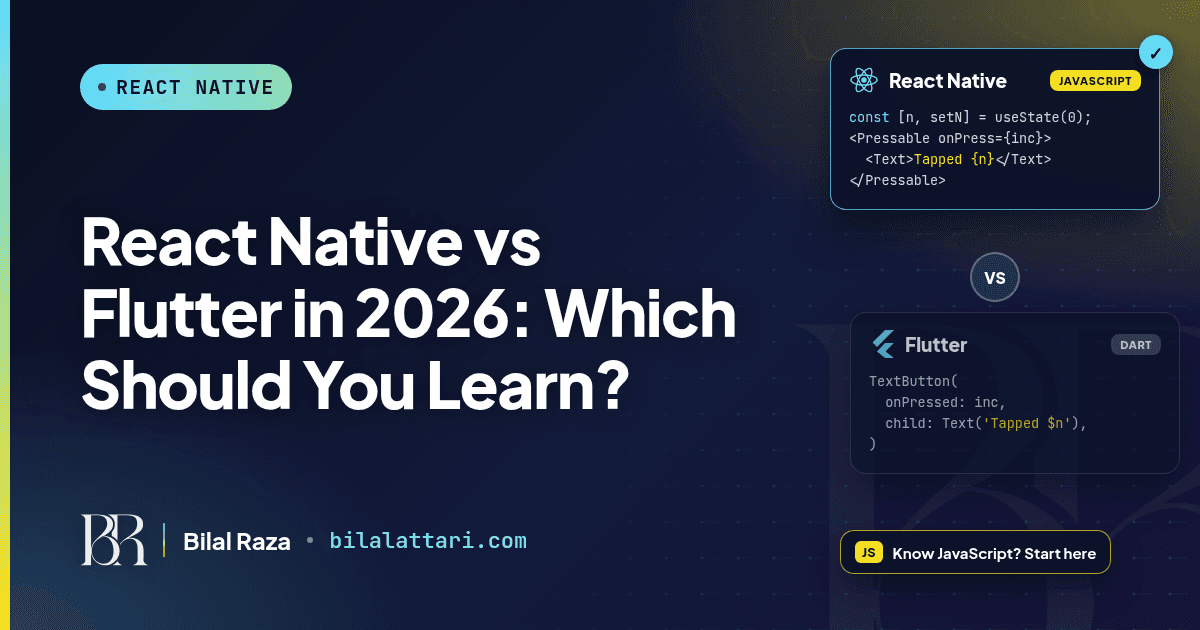
Talk is cheap, so here is a tiny counter screen: some text and a button that counts taps. First in React Native:
import { useState } from 'react';
import { View, Text, Pressable } from 'react-native';

export default function Counter() {
  const [count, setCount] = useState(0);

  return (
    <View style={{ padding: 24 }}>
      <Text>Tapped {count} times</Text>
      <Pressable onPress={() => setCount(count + 1)}>
        <Text>Tap me</Text>
      </Pressable>
    </View>
  );
}
And the same thing in Flutter:
import 'package:flutter/material.dart';

class Counter extends StatefulWidget {
  const Counter({super.key});

  @override
  State<Counter> createState() => _CounterState();
}

class _CounterState extends State<Counter> {
  int count = 0;

  @override
  Widget build(BuildContext context) {
    return Padding(
      padding: const EdgeInsets.all(24),
      child: Column(children: [
        Text('Tapped $count times'),
        TextButton(
          onPressed: () => setState(() => count++),
          child: const Text('Tap me'),
        ),
      ]),
    );
  }
}
Look at the React Native version again. If you have done any React on the web, you can read every line of it. useState, JSX, arrow functions, onPress instead of onClick. That is it.
The Flutter version is not hard either, but it is new. A new language, a new way of handling state with StatefulWidget and setState, and a new way of laying out UI with nested widgets like Padding and Column. For a JavaScript developer, that is extra learning before you build your first real screen.
Why JavaScript gives you a head start
One language for your whole stack
This is the biggest reason for me. With JavaScript you can build the web frontend in React or Next.js, the backend in Node.js and Express, and the mobile app in React Native. That is exactly the MERN path I teach, and I wrote about it in my MERN stack roadmap for 2026. One language means you can take full projects on your own, which is very useful when you are freelancing or working in a small team.
A very large community
JavaScript has a huge community, and React Native sits on top of it. You get the npm ecosystem, plenty of tutorials, and an active Expo community on GitHub and Discord. For a beginner, a big community means faster answers and less time stuck on one error.
Easy to adjust to
JavaScript is forgiving when you start. You can write something that works, see it on your phone, and then improve it. With Expo you can have an app running on your own device in a few minutes:
npx create-expo-app@latest my-first-app
cd my-first-app
npx expo start
I wrote a full walkthrough in my React Native Expo setup guide if you want to follow along step by step.
When Flutter makes more sense
I want to be fair here, because Flutter is a strong framework and I do not want anyone to switch away from something that is working for them.
You come from a typed, object-oriented language
Flutter's own FAQ says that experience with languages like Java, Kotlin, Swift, TypeScript or C# helps you learn Dart and Flutter quickly. If you have never written JavaScript and you are coming from Java or C#, Dart may feel more natural to you than JavaScript does.
Your job or team already uses Flutter
If the company you want to join, or the client you are working for, already has a Flutter codebase, learn Flutter. Follow the code you will actually be working on.
You want pixel-identical custom UI everywhere
Because Flutter draws every pixel itself, it is very good at keeping a custom design identical across Android and iOS. If your app is mostly a custom branded experience, that is a real advantage.
Here is how I would decide, in one table:
| Your situation | What I would pick |
|---|---|
| You are learning JavaScript or the MERN stack | React Native |
| You already work with React or Node.js | React Native |
| You come from Java, Kotlin, Swift or C# and never touched JavaScript | Flutter is a fair choice, try both for a week |
| Your job or client already uses Flutter | Flutter, follow the codebase you are paid to work on |
Wrapping up
If you are learning JavaScript or already know it, go with React Native. JavaScript is easy to learn, it has a very large community, and the same skills carry over to React, Next.js and Node.js. If you are coming from another language or your team already uses Flutter, Flutter is a perfectly good choice too. The worst option is to keep switching between them and never ship anything.
If you are stuck on this decision, or you have started React Native and hit a wall, send me a message and tell me where you are in your learning. I am happy to point you to the next step.
You can find me at bilalattari.com, email me at attari1235@gmail.com, or message me on LinkedIn.