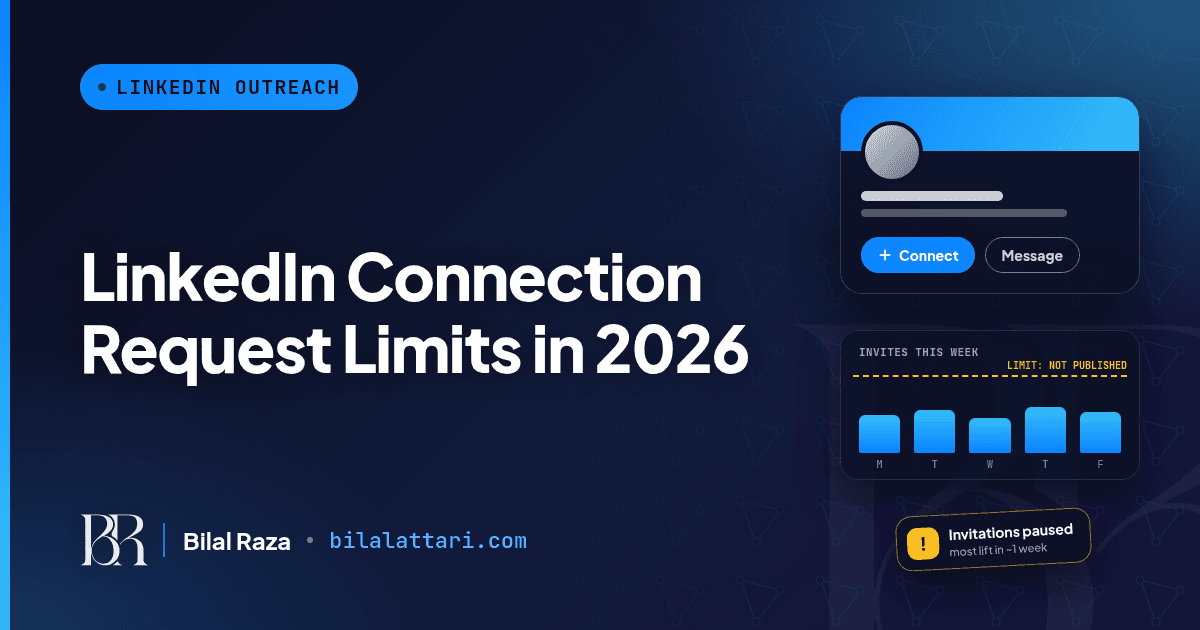
If you do any kind of outreach on LinkedIn, you have probably seen it: you click "Connect", and LinkedIn tells you that you have reached the weekly invitation limit. No number, no countdown, just a block.
At 12Monday we build 12Pilot, a LinkedIn outreach workspace, so I spend a lot of time reading LinkedIn's own rules on this. The honest answer to "how many connection requests can I send?" is a bit annoying, but once you understand it, you stop getting restricted. Here is what LinkedIn actually says, what people commonly use in practice, and how I would pace a week.
The short answer
LinkedIn does not publish an official number. Not per day, not per week. Its Help Center confirms that invitation limits exist, that they apply to every account, and that hitting one usually blocks you from sending invitations for about a week.
The figure you will see in most outreach guides is roughly 100 invitations per week for an established, healthy account. Some older guides say 150 to 200. Treat every one of these as an estimate from people who use LinkedIn heavily, not as a LinkedIn rule.
What LinkedIn officially says
These points come straight from LinkedIn's Help Center pages on invitation limits and restrictions (links at the end):
- Everyone has limits. Basic (free) and Premium members are both subject to invitation limits.
- You can't pay your way out. LinkedIn says you can't buy or acquire more invitations, while restricted or otherwise. Premium does not raise the invitation ceiling.
- Most restrictions lift in about a week, and LinkedIn Support won't remove them early or tell you the exact reason.
- Withdrawing doesn't undo a block. Withdrawing pending invitations won't remove a restriction, and after you withdraw an invite you can't resend it to the same person for up to three weeks.
- Too many outstanding invitations can mean waiting up to a month before you can send again.
- Personal notes are a separate budget. LinkedIn says free members can add a personalised note to five connection requests per month, while Premium members get unlimited notes. LinkedIn has changed this before, so check the Help Center if it matters to you.
- Your network is capped at 30,000 first-degree connections.
Why accounts actually get restricted
LinkedIn lists three main reasons for invitation restrictions:
- You sent many invitations in a short amount of time.
- Many of your invitations were ignored, left pending, or marked as spam.
- You sent an excessive number of invitations and LinkedIn suspects an automation tool.
Notice what this means. The limit is not only about volume. It is about speed and how people react to your invitations. Fifty invitations to people who don't know you and ignore you can hurt more than a hundred to people who recognise your name and accept.
A word on automation tools
I would be doing you a disservice if I skipped this. LinkedIn's User Agreement and its "Prohibited software and extensions" page say it does not permit third-party software, bots or extensions that automate activity on the site. Accounts that use them risk being restricted or shut down, and repeated suspensions can lead to a permanent restriction.
So whatever tool you use, including ours, the responsibility for the account is yours. Good caps and human-like pacing reduce risk. They don't remove it, and no honest tool should promise you otherwise.
Free vs Premium vs Sales Navigator
This is the most common follow-up question, so let me be direct: LinkedIn says the invitation limits apply to Basic and Premium members alike, and that you can't buy more invitations. What Premium clearly changes, per LinkedIn, is the personalised-note allowance. Paid plans also give you InMail credits, which let you message people without sending a connection request at all. That is often the better move for someone you really want to reach.
| Basic (free) | Paid plans (Premium, Sales Navigator) | |
|---|---|---|
| Invitation limit | Yes, but LinkedIn does not publish the number | Same limits apply; you can't buy more invitations |
| Personalised notes | Only a handful a month | A bigger allowance (the main thing Premium changes, per LinkedIn) |
| InMail credits | No | Yes, so you can message people without a connection request |
Many practitioners believe older, well-established accounts with good acceptance rates get more room than brand-new ones. That matches LinkedIn's stated reasons above, but again, LinkedIn has not published the numbers.
How I would pace a week
If you want one practical rule: spread invitations evenly across working days and keep the weekly total modest. Sending 80 on Monday and nothing for the rest of the week is exactly the "many invitations in a short amount of time" pattern LinkedIn describes.
At 12Pilot we published the conservative ranges we use when setting sender limits, broken down by account type and age, in LinkedIn connection limits in 2026. The short version is: start low on new accounts, stay well below whatever ceiling you think exists, and drop volume when acceptance falls.
Because I'm a developer, here is the simple pacing logic I like. It is just a planner, not an automation script: it splits a weekly budget across weekdays and tells you to slow down when your acceptance rate is weak.
// Plan daily LinkedIn invites from a weekly budget (a planner, not a bot)
function planWeek({ weeklyBudget = 70, acceptanceRate = 0.35, pending = 0 }) {
  let budget = weeklyBudget;
  if (acceptanceRate < 0.2) budget = Math.floor(budget * 0.5); // people aren't accepting
  if (pending > 300) budget = 0;                               // clean up pending first
  const days = ["Mon", "Tue", "Wed", "Thu", "Fri"];
  const perDay = Math.floor(budget / days.length);
  return days.map((d) => ({ day: d, invites: perDay }));
}

console.log(planWeek({ weeklyBudget: 70, acceptanceRate: 0.18, pending: 120 }));
// [{ day: 'Mon', invites: 7 }, { day: 'Tue', invites: 7 }, ...]
The thresholds in that snippet (20% acceptance, 300 pending) are my own example values to show the idea, not LinkedIn rules. Pick numbers that suit your account.
Five habits that keep you out of trouble
1. Clean up pending invitations
Old invitations that nobody answered count against you in LinkedIn's eyes. Review your sent invitations every couple of weeks and withdraw the stale ones. Just remember the three-week wait before you can invite that same person again.
2. Invite people who will recognise you
Comment on someone's posts for a week before you connect. Invite people from the same event, group or industry. LinkedIn's own advice is to add context about how you know the person or why you want to connect.
3. Make your profile worth accepting
A real photo, a clear headline and a few recent posts. LinkedIn itself says a profile photo increases credibility. People accept invitations from profiles that look like a real person doing real work.
4. Use notes wisely
On a free account you only get a handful of personalised notes a month, so save them for the people who matter most. A good note is one or two lines: who you are and the specific reason you're reaching out. No pitch in the first message.
5. Use other channels when invites run out
InMail, Groups, replying to posts, and even email or a Google Maps lead list for local businesses all work alongside LinkedIn. A connection request is not the only way to start a conversation.
If you're already restricted
Don't panic and don't try to work around it. LinkedIn's guidance is: after a first restriction, wait a few hours; after multiple restrictions in a day, wait a few days; if it was for too many outstanding invitations, wait up to a month. Use the time to withdraw old pending invites, tidy your profile, and rethink who you are targeting. When you come back, start slower than before.
Wrapping up
There is no magic number. LinkedIn deliberately keeps it hidden, and it moves with your account's age, speed and acceptance rate. Plan around a modest weekly total, spread it across weekdays, keep your pending list clean, and invite people who actually have a reason to accept. That works far better than chasing the maximum.
If you run outreach for a team or agency and want to talk about setting this up sensibly, email me at attari1235@gmail.com or find me at bilalattari.com. I'm always happy to compare notes.