Every parent I know has had this moment. Your child wants your phone, you would rather they learn something good than watch random videos, so you search "Islamic apps for kids" on the Play Store. You get hundreds of results with cartoon icons and five-star badges, and no easy way to tell which ones are actually safe.
Some are excellent. Some are full of ads that pop up between Quran lessons. Some ask for permissions a children's app has no reason to need. And with many of them, you cannot tell who wrote the content or whether anyone qualified ever checked it.
I am Bilal Raza, a mobile app developer in Karachi and the founder of Islamic Desk, where we build Islamic learning apps like Seerat ki Dunya, Sarf ki Dunya and Nahw ki Dunya. I have spent years on the other side of the Play Store: filling in data safety forms, choosing age ratings and getting apps rejected for compliance issues. So this is the checklist I use as a parent and a developer, plus an honest look at where our own apps fit and where they do not.
The short answer
Before you install any Islamic app for your child, check five things on the store listing: whether it has ads, what data it collects, its age rating, who made the content, and whether it pushes purchases. Then spend ten minutes using it together before you hand it over. Most of this is right there on the Play Store page, and it takes less time than reading the reviews.
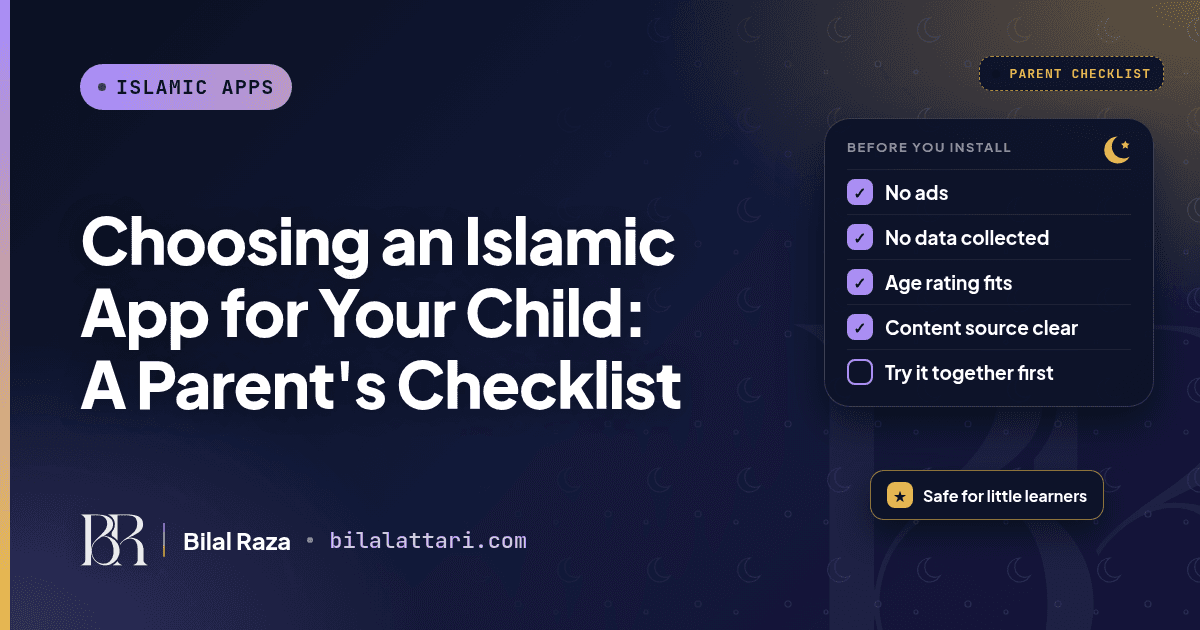
The parent's checklist
Here is the whole checklist in one place. I explain each point below.
| What to check | Where to find it | Green flag | Red flag |
|---|---|---|---|
| Ads | Google Play listing, under the app name | No "Contains ads" label | Ads in a kids app, especially full-screen ones between lessons |
| Data collected | Play listing, "Data safety" section | "No data collected" and "No data shared" | Location, contacts or photos collected with no clear reason |
| Age rating | Play listing, next to the install count | A rating that matches your child, like 3+ | A 12+ or 16+ app handed to a six-year-old |
| Content source | App description, website, "About" page | Names the books, teachers or institution behind it | No idea who wrote or checked the content |
| Purchases | Play listing label "In-app purchases" | Free, or a clear one-time price | Coins, gems or paywalls pushed at children |
| Last update | Play listing, "Updated on" | Updated in the last few months | Not touched in years |
1. Ads: the first thing I look at
If an app shows ads, Google Play puts a "Contains ads" label near the install button. For a kids app, I treat that label as a reason to slow down. Google's Families policy does require apps aimed at children to use only certified ad SDKs and bans personalised ads for them, which helps. But even a "safe" ad still interrupts a lesson and teaches a child to tap on things they did not ask for.
None of our three apps shows ads today. Ads are not wrong for every developer, because they pay for a lot of free apps. But for children learning about their deen, I think no ads is the standard worth looking for.
2. Data safety: read the section, not just the stars
Every Play listing has a "Data safety" section. It tells you what the developer says the app collects (name, email, location, photos and so on), whether it shares that data with other companies, and whether you can ask for it to be deleted.
The key word is "says". This section is filled in by the developer. Google has rules about filling it in accurately, but it is still a self-declaration. So treat it as a starting point. If a simple Islamic quiz app for kids asks to collect location or contacts, ask yourself why it needs that.
3. Age rating: match it to your child
The rating next to the install count (3+, 7+, 12+ and so on) comes from a content questionnaire the developer answers. It mostly reflects things like violence, user chat and other content. A 12+ rating on an Islamic app does not mean it is bad. It often just means the app has features like accounts or a public leaderboard. But it is a signal that the app was not designed with a young child in mind.
4. Content: who wrote it, and who checked it?
This is the one the store cannot check for you. A beautiful app with wrong or weak content is worse than no app. Look for apps that name their sources: the books they follow, the scholars or teachers involved, or the institution behind them. If the description and website say nothing about where the content comes from, that is a gap.
At Islamic Desk, Sarf ki Dunya's product is headed by Maulana Kamran Attari Madani, and our grammar apps include the actual books students study. I am not saying that to sell you our apps. I am saying it because this is the question you should ask every Islamic app, including ours.
5. Purchases and screen design
The "In-app purchases" label is also shown on the listing. Some kids apps are built around coins, locked levels and constant prompts to pay. Even if you never pay, that design trains children to chase rewards rather than learn. Look for apps where the learning itself is the point.
6. Is it still maintained?
Check the "Updated on" date. An app that has not been updated for years may not work well on newer phones and may not have kept up with store privacy rules. Recent updates are a small sign that someone still cares about it.
Where our apps fit (honestly)
Since I build Islamic apps, it would be strange not to apply the same checklist to my own. Here is what the Google Play listings for our three apps showed when I checked them on October 23, 2026.
| App | Play age rating | Ads label | Data safety (developer says) | Who it suits |
|---|---|---|---|---|
| Seerat ki Dunya | Rated for 3+ | None shown | No data collected, no data shared | Families learning the Seerah together; has a Seerah for Kids section |
| Sarf ki Dunya | Rated for 3+ | None shown | No data collected, no data shared | Older children and madrasa students studying Arabic morphology |
| Nahw ki Dunya | Rated for 12+ | None shown | May collect name, email and phone number; no data shared | Teens and adults studying Arabic syntax, with a leaderboard |
A few honest notes on that table:
- Seerat ki Dunya is the one I would actually suggest for a family with young children. It has Seerah lessons, Shama'il, small daily Sunnah tasks and a Seerah for Kids section with games, cartoons and rewards. I wrote a separate guide on how we designed its Durood feature.
- Sarf ki Dunya is rated 3+ because it has no risky content, but it is an Arabic grammar app with conjugation tables and quizzes. It suits older children and madrasa students, not a five-year-old. If that is your child's stage, my post on memorising Sarf Sagheer will help.
- Nahw ki Dunya is rated 12+ and its data safety section says it may collect a name, email and phone number, because it has accounts and a leaderboard. That is fine for teens and adults, but I would not hand it to a young child on their own.
So even with our own apps, the answer depends on the child. That is the whole point of the checklist.
How I would set it up at home
A good app is only half of it. How you use it matters just as much.
Use it together first
Sit with your child for the first few sessions. You will see quickly whether the content is right for their age and whether the app is calm or noisy.
Turn on Google Family Link or Play parental controls
Parental controls in the Play Store can limit what your child can download by age rating, and Google Family Link lets you approve apps and set screen time. You do not need anything fancy.
Keep it short and talk about it
Ten or fifteen minutes is plenty for a young child. Then ask them to tell you what they learned. A story about the Prophet ﷺ told back to you at dinner is worth more than an hour of tapping.
Wrapping up
Choosing a safe Islamic app for your child is mostly about reading what is already on the store page: ads, data safety, age rating, purchases and updates. The part only you can judge is the content and how it fits your child, so try it together before you hand it over.
If you are a parent with questions about a specific app, or a developer building Islamic apps for kids and want to talk about store compliance, I am happy to help.
You can find me at bilalattari.com, email me at attari1235@gmail.com, or message me on LinkedIn.
Sources
- Google Play Families Policies (certified ad SDKs, no personalised ads for children)
- Google Play Help: the Data safety section
- Seerat ki Dunya on Google Play, Sarf ki Dunya on Google Play, Nahw ki Dunya on Google Play (checked October 23, 2026)