Almost every business I talk to in Pakistan starts on the free WhatsApp Business app. One phone, a few labels, quick replies, and the owner answering customers late at night. It works, until it suddenly doesn't.
I'm Bilal, co-founder of 12Monday, where we build 12Bot, a WhatsApp CRM that runs on the WhatsApp Business Platform. The question I get most often is simple: "Should I stay on the app, or move to the WhatsApp Business API?" This post is my honest answer.
I'll cover what each one gives you, what the API actually costs in 2026, and the newer option that lets you keep your app and use the API on the same number.
The short answer
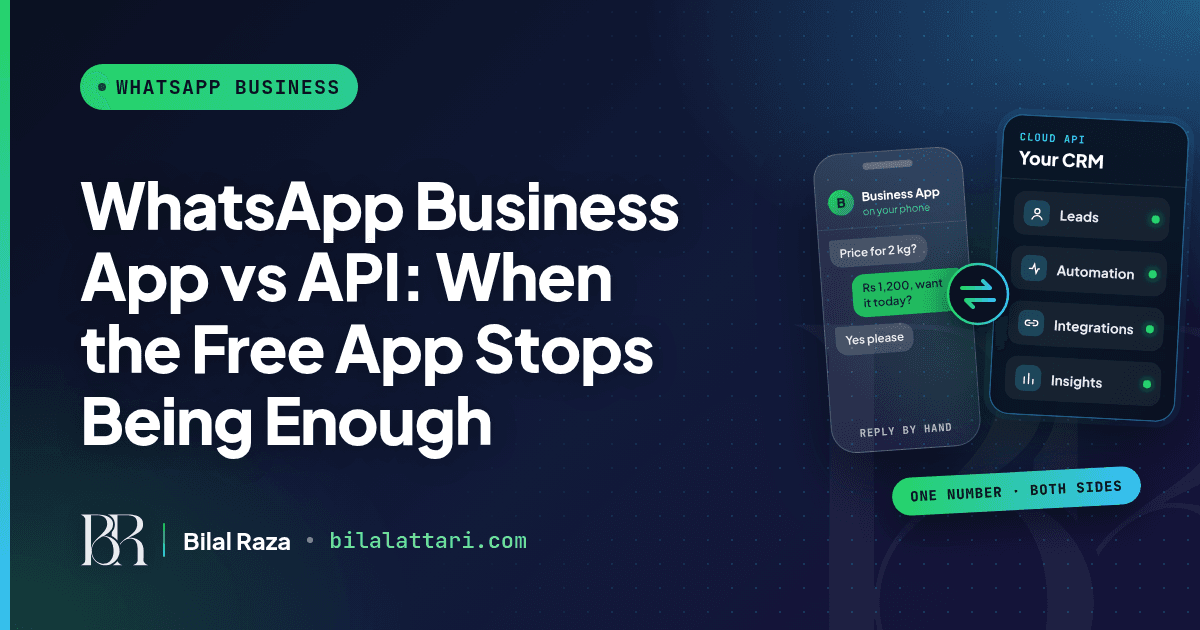
If you are one person replying to a few chats a day, the app is enough. The moment you want WhatsApp to connect with your other tools, want a real CRM, or want to understand what your customers are interested in, you need the API.
That is the whole difference for me. The app is a chat tool. The API is something you can build a business on.
What the WhatsApp Business app does well
The app is free, quick to set up and familiar. You get a business profile, a catalog, labels, quick replies, greeting and away messages, and broadcast lists.
Small teams can share it, up to a point
WhatsApp lets you link up to four devices to one account. With Meta Verified multi-agent you can go up to ten devices and assign chats. The linked devices also disconnect if the main phone is not used for more than 14 days.
Where it runs out
The app keeps everything inside the phone. You cannot plug it into your website, your order system or your ads dashboard. Two people can reply to the same customer without knowing. And when you want to know which campaign brought in which lead, the data simply isn't there.
What the WhatsApp Business API gives you
For me the API comes down to three things.
You can connect it with other platforms
Every incoming message arrives at your server as a webhook. That means WhatsApp can talk to your CRM, your Shopify or custom store, your Google Sheets, your booking system or anything with an API. Orders, reminders and replies can flow without someone copying them by hand.
You can build a CRM on top of it
Because you receive the data, you can store it. Here is a stripped-down version of the idea: every message updates a lead record.
// Express webhook: every incoming WhatsApp message becomes a CRM record
app.post('/webhooks/whatsapp', async (req, res) => {
  const value = req.body.entry?.[0]?.changes?.[0]?.value;
  const msg = value?.messages?.[0];
  if (msg) {
    await Lead.findOneAndUpdate(
      { phone: msg.from },
      {
        name: value.contacts?.[0]?.profile?.name,
        lastMessage: msg.text?.body,
        // present when the chat started from a Click to WhatsApp ad
        adSource: msg.referral?.source_type,
        adId: msg.referral?.source_id,
        $push: { history: { text: msg.text?.body, at: new Date() } },
      },
      { upsert: true }
    );
  }
  res.sendStatus(200);
});
Add assignment, notes, tags and follow-ups on top of that and you have a CRM where every customer has a history, not just a chat bubble on someone's phone.
You can see what your customers are interested in
This is the part most people miss. When chats are data, you can see which product people ask about, which ad brought them in, how many became leads and who still needs a follow-up. When a chat starts from a Click to WhatsApp ad, the message carries the ad's referral details, so you can tag the lead with its source automatically.
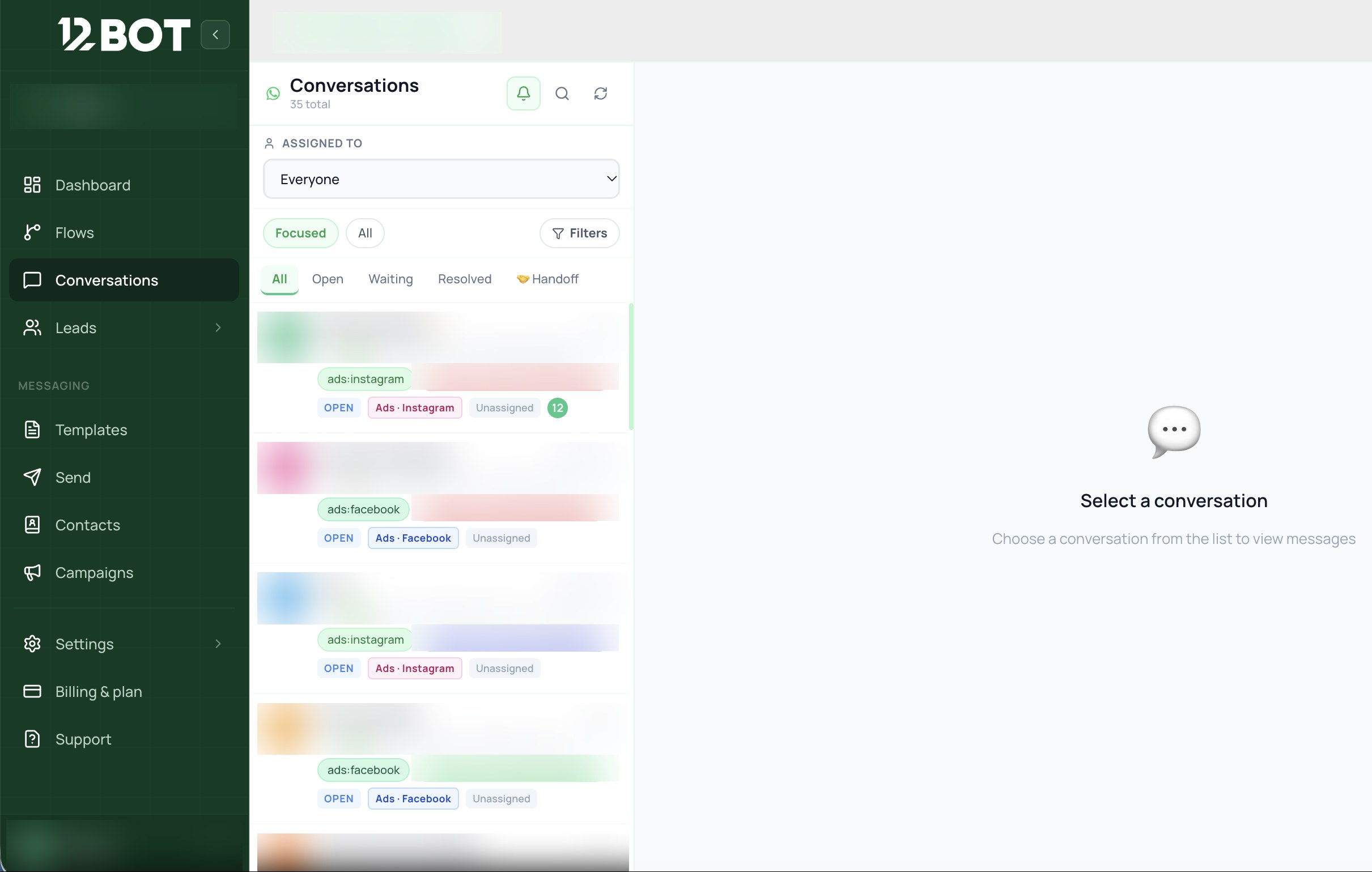
Once you can see that, you stop guessing. You build the business on what customers are actually asking for.
WhatsApp Business app vs API, side by side
| WhatsApp Business app | WhatsApp Business API (Cloud API) | |
|---|---|---|
| Cost to use | Free app | Meta charges per delivered message (template messages, and service messages after 1,000 free per number each month) |
| Who replies | You, by hand, on the phone and up to four linked devices | Your team in a shared inbox, plus bots and automations |
| Connect other tools | No | Yes: CRM, website, Shopify, ads, Google Sheets, your own backend |
| Customer data | Chats and labels on the phone | Every message reaches your system as structured data you own |
| Ad tracking | Hard to see which ad a chat came from | Click to WhatsApp ad referral data arrives with the message |
| Messaging rules | Reply any time | Free-form replies inside the 24-hour customer service window, approved templates outside it |
| Best for | One person, low volume | Teams, ads, follow-ups and growth |
What the API costs in 2026
The app is free. The API is not, but it is cheaper than most people think if you use it well. Meta charges per delivered message, and the rate depends on the message category and the customer's country.
- Marketing, utility and authentication messages use approved templates and are charged per message.
- From October 1, 2026, service messages (your free-form replies inside the 24-hour window) are charged too, but the first 1,000 service messages per business phone number each month are free.
- Chats that start from a Click to WhatsApp ad open a free entry point window that can stay open for up to 7 days.
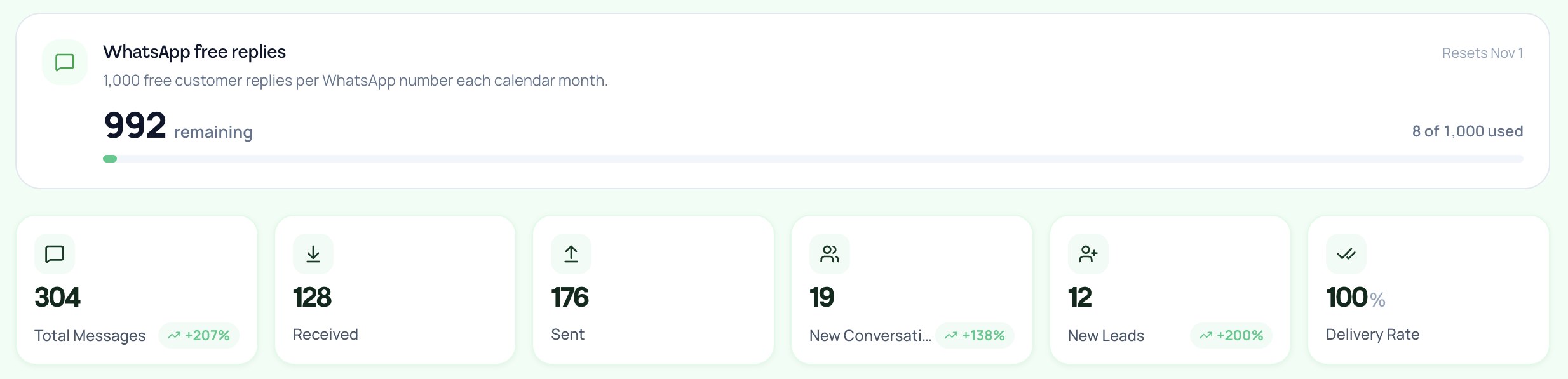
For Pakistan, Meta's October 2026 USD rate card lists marketing at $0.0473 and utility, authentication and service at $0.015 per message. In 12Bot we show the free replies counter right on the dashboard so you always know where you stand.
You don't have to choose anymore: Coexistence
For years the painful part of moving to the API was giving up the app on that number. That is no longer true. Meta now lets a business connect its existing WhatsApp Business app number to the Cloud API. Meta's documentation calls it onboarding WhatsApp Business app users, and most people call it Coexistence.
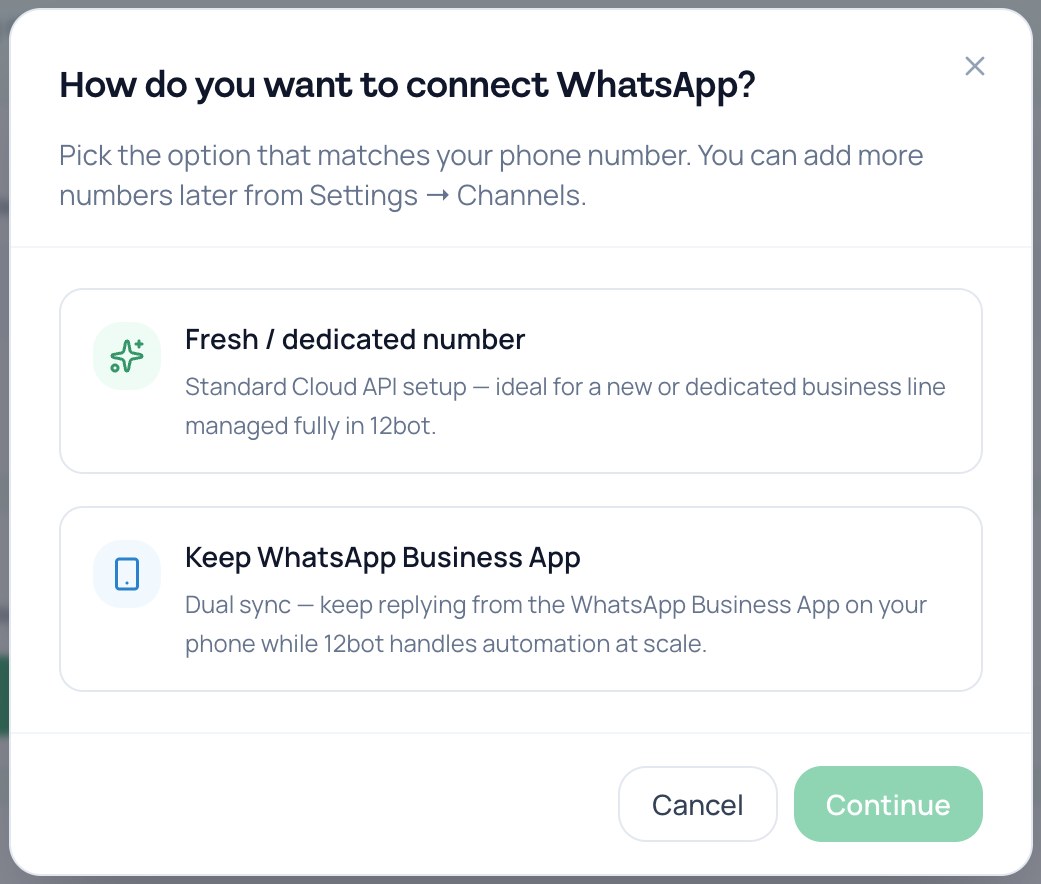
You keep replying from the app on your phone, and the API side handles automation and volume. Chats are mirrored between both. We have just added this to 12Bot, so when you connect WhatsApp you can pick a fresh number on the standard Cloud API setup, or keep your WhatsApp Business App.
What changes on the app
A few app features switch off once the number is also on the API. This is from Meta's feature table:
| Feature | On the WhatsApp Business app | On the API side |
|---|---|---|
| 1:1 chats | Keep working, mirrored both ways | Last 6 months can be synced |
| Contacts | No change | Synced |
| Group chats | No change | Not synced |
| Broadcast lists | Disabled (existing lists become read-only) | Not supported, use templates and campaigns instead |
| Disappearing, view once, live location | Turned off in 1:1 chats | Not supported |
| Voice and video calls | No change | Not supported |
| Linked devices | Unlinked once, then you can re-link supported ones | Not applicable |
Limits worth knowing
- You need WhatsApp Business app version 2.24.17 or higher.
- A number used on both sides has a fixed throughput of 20 messages per second.
- Messages you send from the app stay free. Messages sent through the API follow normal API pricing.
- The 24-hour window only applies to API messages. Replies from the app don't open or extend it.
- Keep using the app on your phone. Meta lists about 14 days of primary phone inactivity as one reason the connection can drop.
How I would decide
- Just starting, few chats, only you replying: stay on the app.
- Running ads, more than one person replying, or losing track of leads: move to the API.
- Your customers already know your number and you don't want to lose the app: use Coexistence.
- Launching a new line for support or sales only: use a fresh number on the standard Cloud API setup.
Wrapping up
The WhatsApp Business app is a great start, but it is a chat tool. The API lets you connect WhatsApp with other platforms, build a CRM on top of it and use your customer data to grow. With Coexistence you can now get all of that without giving up the app your team already uses.
If you are trying to decide which setup fits your business, or want to see Coexistence in 12Bot, I'm happy to help.
You can find me at bilalattari.com, email me at attari1235@gmail.com, or message me on LinkedIn.