"How long will my app take?" is the first question almost every founder asks me. The honest answer is that it depends less on the code than most people think. The same MVP can ship in two weeks or drag on for three months, and the difference is usually decided before a single screen is designed.
I am the co-founder and CEO of 12Monday Technologies, and I have been building MERN and React Native products since 2017. On our website we say we can ship a live MVP in 15 days. People sometimes read that as a sales line, so in this post I want to explain what it actually means, what we need from you to make it happen, and the steps we follow to get an app onto the stores for testing.
What an MVP really is (and what it is not)
An MVP, or minimum viable product, is the smallest version of your product that real people can use, so you can learn whether the idea works. It is not a cheap version of your full app. It is a focused version.
One core flow, done properly
If you are building a food delivery app, the core flow is: a customer finds food, places an order, and the order reaches the restaurant. Loyalty points, referral codes and an admin analytics dashboard can come later. An MVP that does one flow well teaches you more than one that does ten things badly.
Built to be tested, not to be perfect
The goal of version one is to put something in front of users and get feedback. That is why, for mobile apps, we aim to have it deployed on the stores for testing, where you and your testers can install it on real phones.
The real secret: a final idea and quick communication
Here is what we tell every client. If your idea is final, and you give us everything we need, the 15 days are realistic. If the idea is still moving, no team in the world can promise you a date.
Your idea has to be final and clear
When the ideation is clear, we can design and build without stopping to ask "what should this screen do?" every few hours. Most delays I have seen do not come from hard technical problems. They come from changing direction halfway through.
Hand over the access on day one
If you want mobile apps, you have to give us your Play Store access, your hosting access and all the related accounts. Or, if you take that service from us, we deploy on our side. Either way, this has to be sorted at the start, not on the day we are ready to upload.
Be available for quick communication
We will show you designs and ask questions. If you reply within hours instead of days, the timeline holds. A two-day wait for a yes or no on a screen adds up fast in a 15-day plan.
| Ready for a 15-day MVP | Not ready yet | |
|---|---|---|
| The idea | Final and clear: you can explain the main flow in a few sentences | Still changing every week, or depends on "we will see what users want first" |
| Access | Play Store (and App Store) access and hosting access are handed over on day one, or you let us deploy on our side | Accounts not created yet, or nobody knows who owns the login |
| Communication | You can reply to design and build questions quickly | Feedback comes back after several days |
| Scope | One core flow that proves the idea | Every feature you will ever want, all in version one |
How the 15 days actually run
Once the idea and the access are in place, this is the order we work in.
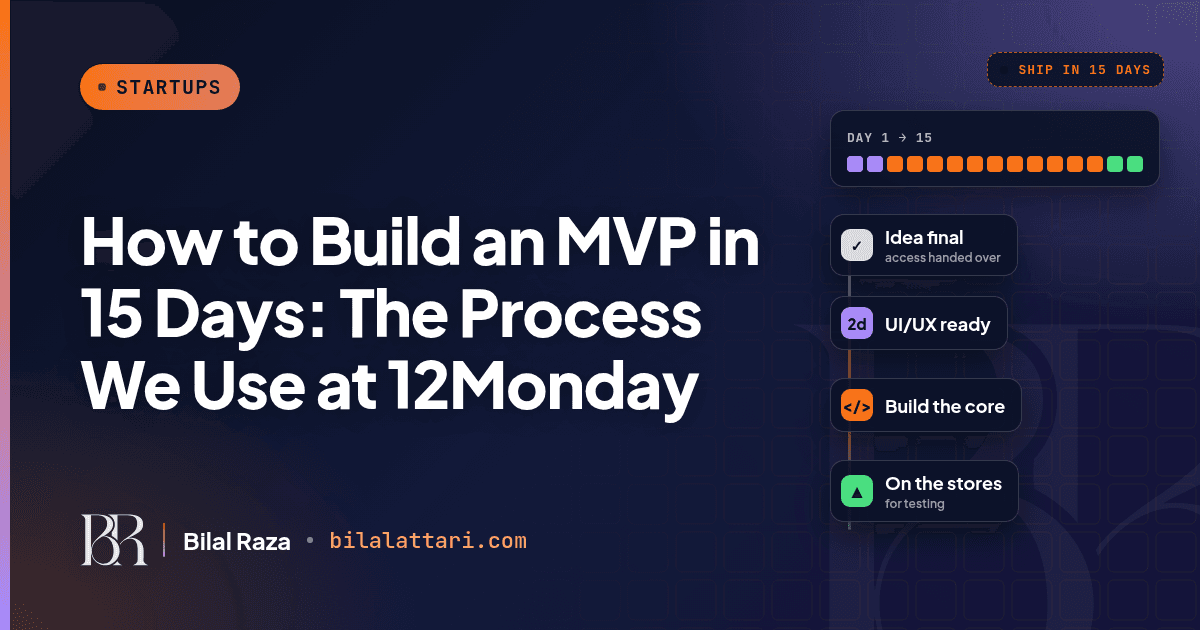
Step 1: UI/UX in two days
With a clear idea and a client who is available, we deliver the UI/UX in two days. This is where you see your app for the first time, screen by screen. It is also the cheapest place to make changes. Moving a button in a design takes minutes. Moving it after it is built takes much longer.
Step 2: Development
After you approve the designs, we develop the app. For mobile we use React Native, so one JavaScript codebase gives us both Android and iOS, and we use the MERN stack (MongoDB, Express, React, Node.js) for the backend and web parts. Because the designs are already approved, development is about building, not deciding.
Step 3: Deploy to the stores for testing
At the end, the app is deployed on the stores for testing. You install it from the Play Store or TestFlight on your own phone, share it with testers, and see how real people use it.
Getting it onto the stores for testing
Both stores have testing tracks before a public release. Founders are often surprised by these, so it is worth knowing them before you start.
| Google Play internal testing | Google Play closed testing | Apple TestFlight | |
|---|---|---|---|
| Who it is for | Your team and a few trusted people | A wider group of real testers | Your team and outside beta testers |
| Tester limit | Up to 100 testers | A list or group of testers you invite | Up to 10,000 external testers |
| Good to know | Fastest way to get a build onto phones | New personal developer accounts (created after 13 Nov 2023) need at least 12 testers opted in for 14 days before applying for production | External builds go through a beta review first |
Plan for Google's 14-day closed test
If your Google Play developer account is a new personal account, Google requires a closed test with at least 12 testers who stay opted in for 14 days before you can apply for production access. This is one more reason to hand over your Play Console access on day one. If you are creating a new account, line up your testers early so this period does not surprise you after the build is ready.
How we ship builds with Expo
For React Native apps, Expo's EAS Build and EAS Submit let us build in the cloud and send the build straight to the testing tracks. A minimal setup looks like this:
// eas.json (Expo): build once, send it to the stores' testing tracks
{
  "build": {
    "preview": { "distribution": "internal" },
    "production": {}
  },
  "submit": {
    "production": {
      "android": { "track": "internal" }
    }
  }
}
npx eas-cli build --platform all --profile production
npx eas-cli submit --platform android
npx eas-cli submit --platform iosThe Android build goes to the internal testing track set in eas.json, and the iOS build goes to App Store Connect, and from there to TestFlight. That is why we need the store access early: without it, there is nowhere to send the build.
Mistakes that turn 15 days into three months
Changing the idea mid-build
New ideas are good. Put them on a list for version two. If they go into version one, the design and the code both start again.
Waiting for accounts
Creating developer accounts, verifying them and sorting out hosting all take time. If this starts when the app is finished, the app sits waiting.
Slow feedback
A 15-day plan has no room for a week of silence. Decide who on your side approves things, and make sure they are reachable.
Treating the MVP as the final product
Version one exists to learn. Ship it, watch how testers use it, and let that decide what you build next.
Wrapping up
Building an MVP in 15 days is less about typing fast and more about preparation. Come with a final, clear idea, hand over your Play Store and hosting access (or let us deploy on our side), and stay available for quick replies. Then we can deliver the UI/UX in two days, build the app, and get it onto the stores for testing.
If you have an idea that is ready to build, or you are not sure whether it is ready yet, tell me about it. I am happy to help you work out what belongs in version one.
You can find me at bilalattari.com, email me at attari1235@gmail.com, or message me on LinkedIn.